In this tutorial, we will show you how to easily connect your multi-LTE case yourself.
1. Connecting LTE antennas #
Connect the antennas to the side of the case (labeled "Antennas").
Align the antennas as shown in the picture. The order is not relevant.

2. Plug it in #
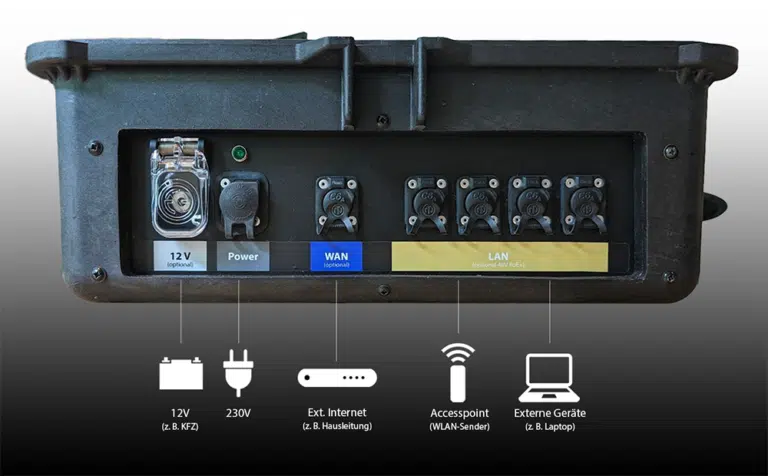
Connect the connection cable on the back to the mains power.

3. Scan the QR code and check the connection #
Scan the QR code attached to the lid of the Multi-Case with your smartphone. You can check all available connections for your status and set up the WiFi (WiFi-name / password).

Overview of Connections #